Crafting Your Perfect Home Office: 6 Ergonomic Essentials for 2026
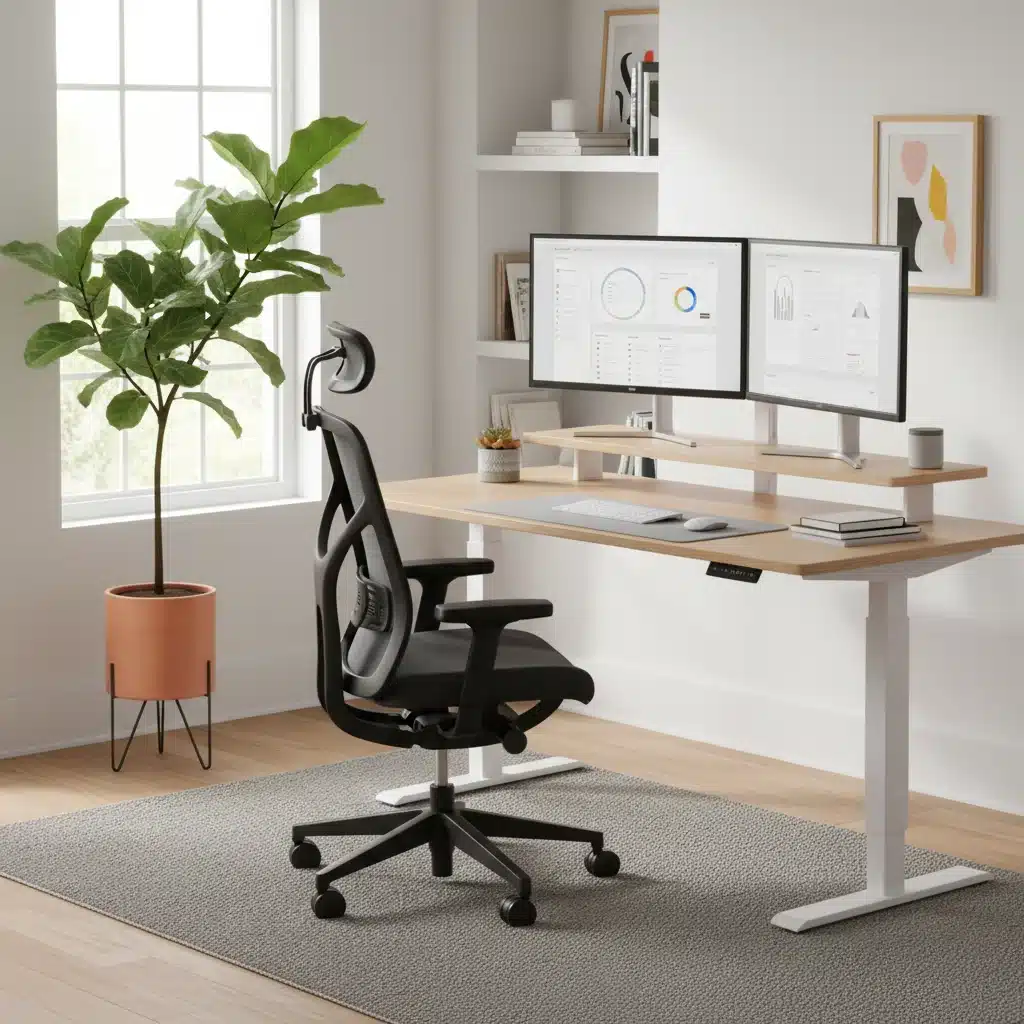
Anúncios
Crafting Your Perfect Home Office: 6 Ergonomic Essentials for 2026
In an increasingly remote-first world, the home office has evolved from a temporary workaround to a permanent fixture in our professional lives. As we move further into 2026, the emphasis on creating a healthy, productive, and comfortable workspace at home has never been more critical. The long hours spent in front of screens necessitate a thoughtful approach to our environment, one that prioritizes our physical well-being as much as our output. This comprehensive guide will walk you through the 6 essential ergonomic items that will transform your home office into a sanctuary of efficiency and comfort, ensuring you’re set up for success well into the future.
Anúncios
Why Ergonomics is Non-Negotiable for Your Home Office in 2026
The shift to remote work has brought unprecedented flexibility, but it has also highlighted the importance of a properly equipped workspace. Many initially cobbled together makeshift setups, leading to a rise in musculoskeletal issues, eye strain, and decreased productivity. As we look at 2026, the understanding of how vital an ergonomic home office is has solidified. Ergonomics isn’t just a buzzword; it’s a science focused on designing and arranging workplaces so that people and things interact most efficiently and safely. For your home office, this translates to reduced physical discomfort, prevention of long-term injuries, improved focus, and ultimately, enhanced job satisfaction and performance.
Anúncios
Investing in ergonomic essentials is an investment in your health and career longevity. Think of it as preventative medicine for your professional life. Poor posture, repetitive strain, and inadequate lighting can lead to chronic pain, fatigue, and even serious conditions like carpal tunnel syndrome or severe back problems. By consciously integrating ergonomic principles into your home office design, you’re not just buying furniture; you’re buying into a healthier, more sustainable way of working. Let’s delve into the specific items that form the bedrock of an optimal ergonomic home office.
1. The Ergonomic Office Chair: Your Foundation for Comfort
If there’s one item that deserves the lion’s share of your ergonomic budget, it’s a high-quality ergonomic office chair. This isn’t just about cushioning; it’s about dynamic support that adapts to your body’s natural contours and movements. In 2026, ergonomic chairs have advanced significantly, offering a plethora of adjustments to cater to individual needs.
Key Features to Look for:
- Adjustable Lumbar Support: Crucial for maintaining the natural curve of your spine. Look for chairs with adjustable height and depth for the lumbar support.
- Seat Depth and Height Adjustment: Your feet should be flat on the floor, and there should be a 2-4 finger gap between the edge of the seat and the back of your knees. Height adjustment ensures your elbows are at desk level.
- Armrest Adjustments: Armrests should support your arms without shrugging your shoulders. They should be adjustable in height, depth, and pivot.
- Recline and Tilt Mechanisms: A good chair allows for various recline angles and tension adjustments, promoting movement and reducing static load on your spine.
- Breathable Material: Especially important for long hours, materials like mesh can prevent heat buildup.
- Swivel Base and Casters: Easy movement around your workspace is essential.
Choosing the right ergonomic chair is a personal journey. It’s recommended to test chairs in person if possible, or at least opt for brands with generous return policies. Remember, a cheap chair can be incredibly expensive in terms of your health.
2. The Adjustable Standing Desk: Dynamic Work, Dynamic Health
The adage “sitting is the new smoking” might be an exaggeration, but the negative health impacts of prolonged sitting are undeniable. An adjustable standing desk is a game-changer for any ergonomic home office, allowing you to seamlessly transition between sitting and standing throughout your workday. This movement is vital for circulation, energy levels, and reducing back pain.
Benefits of an Adjustable Standing Desk:
- Reduces Back Pain: Studies show significant reductions in upper back and neck pain.
- Improves Mood and Energy Levels: Standing can help combat the afternoon slump.
- Boosts Productivity: Some users report increased focus and efficiency.
- Lowers Risk of Weight Gain and Chronic Diseases: By increasing calorie expenditure and improving metabolic health markers.
What to Consider:
- Height Range: Ensure it accommodates both your sitting and standing heights comfortably.
- Stability: A wobbly desk is a distracting desk. Look for robust frames.
- Motorized vs. Manual: Motorized desks offer effortless transitions with memory presets, which are highly recommended for regular use.
- Size and Weight Capacity: Make sure it can hold all your equipment (monitors, laptop, etc.) securely.
Pairing your standing desk with an anti-fatigue mat is also highly recommended to provide cushioning and support when standing for extended periods.
3. Ergonomic Keyboard and Mouse: Protecting Your Hands and Wrists
Repetitive strain injuries (RSIs) are a common complaint among those who spend hours typing and clicking. An ergonomic home office setup is incomplete without an ergonomic keyboard and mouse designed to keep your hands, wrists, and forearms in a natural, neutral position.
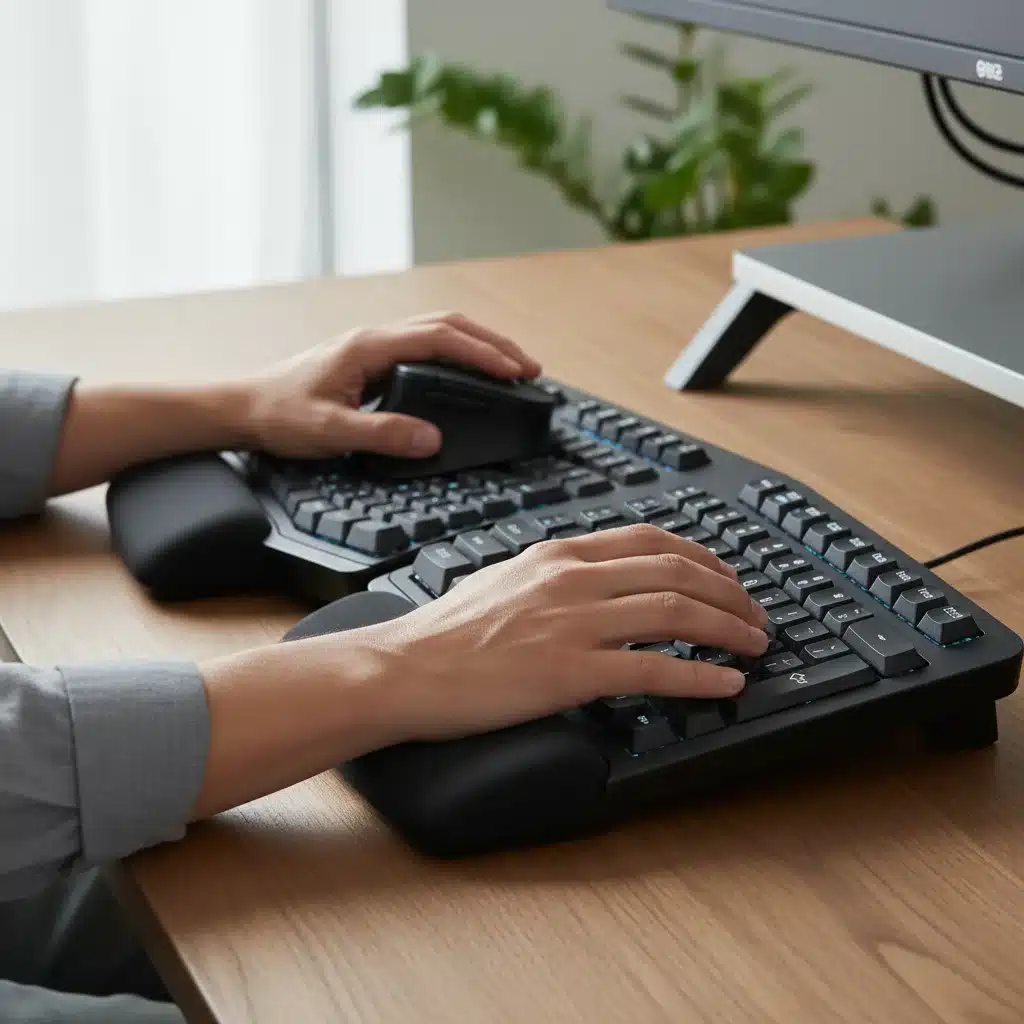
Ergonomic Keyboard Features:
- Split Design: Divides the keyboard into two halves, allowing your wrists to remain straight.
- Tent Design: Elevates the middle of the keyboard, reducing pronation of the forearms.
- Cushioned Wrist Rest: Provides support and maintains a neutral wrist position.
- Tactile Feedback: Keys that require less force to press can reduce strain.
Ergonomic Mouse Considerations:
- Vertical Mouse: Designed to keep your hand in a handshake position, reducing forearm twist.
- Trackball Mouse: Moves the cursor with your thumb or fingers, reducing wrist movement.
- Contoured Design: Fits the natural curve of your hand, preventing gripping strain.
- Adjustable DPI/Sensitivity: Allows for precise control with minimal movement.
Experimenting with different types is key to finding what feels best for your individual hand mechanics. Remember, the goal is to minimize awkward postures and repetitive micro-movements that accumulate over time.
4. Monitor Arm and External Monitor: Optimizing Your Visual Ergonomics
Straining your neck to look at a laptop screen or dealing with a single, small monitor can severely impact your posture and eye health. An ergonomic home office should include at least one, if not two, external monitors mounted on adjustable arms.
Why a Monitor Arm and External Monitor are Essential:
- Proper Eye Level: The top of your monitor should be at or slightly below eye level. A monitor arm allows you to precisely adjust the height.
- Optimal Distance: Monitors should be an arm’s length away, reducing eye strain. Arms allow for easy adjustment.
- Improved Posture: Prevents slouching or craning your neck to view the screen.
- Increased Screen Real Estate: Dual monitors significantly boost productivity for many tasks.
- Reduced Clutter: Frees up valuable desk space.
Tips for Setup:
- If using one monitor, center it directly in front of you.
- If using two, place the primary monitor directly in front, and the secondary to its side at a slight angle, or center the split between the two.
- Ensure your screen brightness matches your surroundings, and consider blue light filters or glasses.
5. Proper Lighting: Illuminating Your Productivity
Often overlooked, appropriate lighting is a cornerstone of an ergonomic home office. Poor lighting can lead to eye strain, headaches, and fatigue, directly impacting your comfort and productivity.
Elements of Good Office Lighting:
- Natural Light: Maximize natural light whenever possible. Position your desk to the side of a window, not directly facing or with your back to it, to avoid glare or shadows.
- Ambient Lighting: Overhead lighting should be even and not create harsh shadows. Avoid fluorescent lights if possible, as they can cause flicker and glare.
- Task Lighting: A good desk lamp is crucial. It should provide adjustable, focused light on your workspace without creating glare on your screen. Look for lamps with adjustable brightness and color temperature.
- Reduce Glare: Use anti-glare screen filters if necessary, and adjust blinds or curtains to manage natural light.
The goal is to create a balanced lighting environment that minimizes contrast between your screen and the surrounding area, reducing the effort your eyes need to exert.
6. Footrest and Anti-Fatigue Mat: Supporting Your Lower Body
While often seen as secondary, a footrest for sitting and an anti-fatigue mat for standing are vital components of a truly ergonomic home office, providing crucial support for your lower body and promoting better circulation.
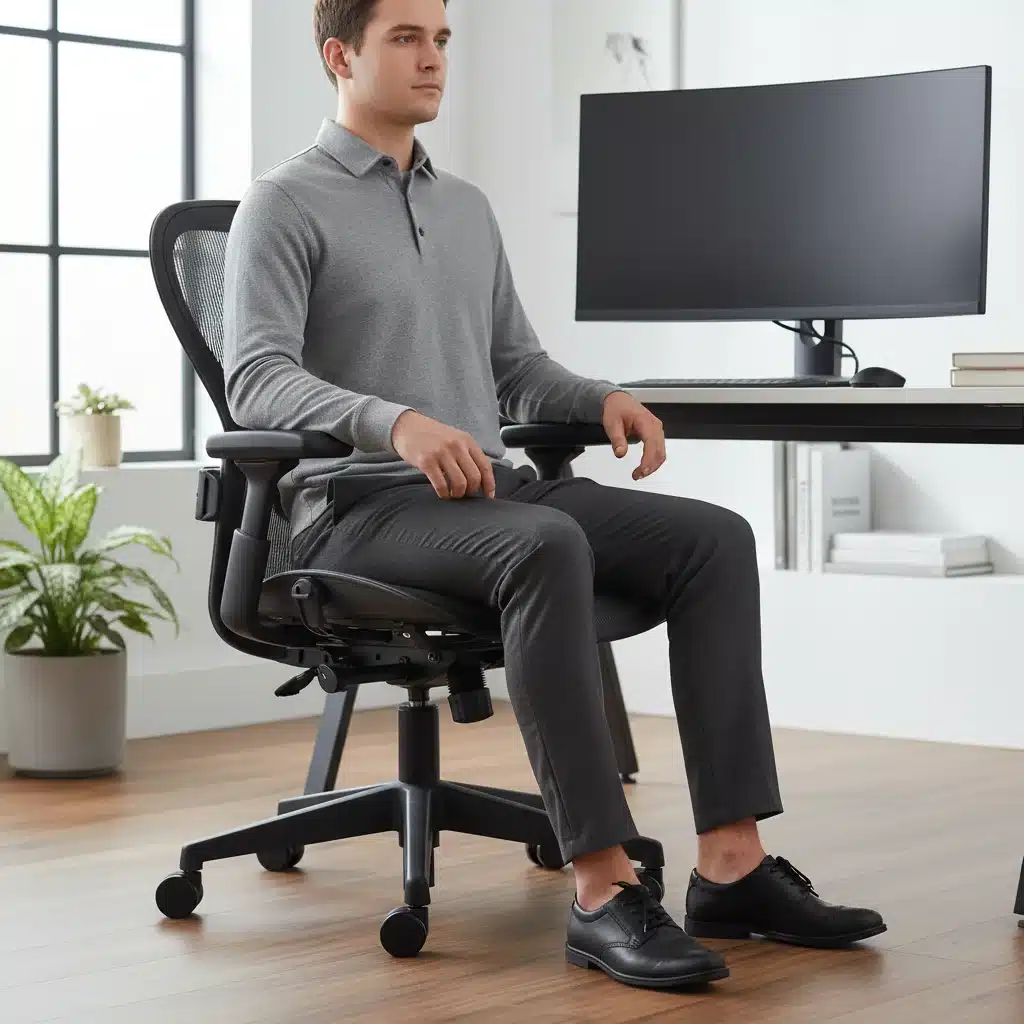
The Ergonomic Footrest:
- Purpose: Ensures your feet are flat on the floor, or at least fully supported, especially if your chair height means your feet dangle. This prevents pressure points on your thighs and promotes good circulation.
- Adjustability: Look for footrests with adjustable height and tilt to accommodate different postures and preferences.
- Texture: Some footrests have textured surfaces that can provide a gentle massage and further stimulate circulation.
The Anti-Fatigue Mat:
- Purpose: When using a standing desk, an anti-fatigue mat provides cushioning and support, reducing pressure on your feet, legs, and lower back. It encourages subtle movements, which aids circulation.
- Material: Typically made of durable foam or gel, designed to absorb impact and distribute weight evenly.
- Size: Ensure it’s large enough to comfortably stand on and move slightly without stepping off.
These accessories might seem small, but their impact on overall comfort and preventing fatigue over a long workday is significant.
Integrating Your Ergonomic Home Office: Beyond the Gear
While acquiring these 6 ergonomic essentials is a fantastic start, the true power of an ergonomic home office lies in how you integrate them with healthy work habits. Even the best equipment can’t fully compensate for poor practices.
Best Practices for Your Ergonomic Home Office:
- Regular Breaks: Implement the 20-20-20 rule (every 20 minutes, look at something 20 feet away for 20 seconds) for your eyes. Take short movement breaks every hour.
- Posture Awareness: Regularly check in with your posture. Are your shoulders relaxed? Is your back supported? Are your wrists neutral?
- Hydration and Nutrition: Keep water and healthy snacks within reach to avoid long periods without nourishment or hydration.
- Personalize Your Space: Add personal touches, plants, or elements that bring you joy and help reduce stress.
- Mindful Movement: Incorporate stretching and light exercise into your daily routine to counteract the effects of prolonged sitting or standing.
Remember that ergonomics is a continuous process of adjustment and awareness. Your body’s needs might change, and your setup should evolve with them.
The Future of the Ergonomic Home Office in 2026 and Beyond
As technology advances and our understanding of human-computer interaction deepens, the ergonomic home office will continue to evolve. We can anticipate even smarter furniture with integrated sensors that provide real-time posture feedback, AI-driven lighting systems that adapt to circadian rhythms, and personalized haptic feedback devices to prevent strain.
However, the core principles will remain the same: design your workspace to fit you, not the other way around. Prioritize health, comfort, and sustainability. The initial investment in quality ergonomic gear might seem substantial, but the long-term benefits to your health, productivity, and overall quality of life far outweigh the cost. By embracing these 6 ergonomic essentials in 2026, you’re not just creating a workspace; you’re cultivating an environment where you can thrive.